
 SERVICE | GPU cloud
Sign Up and Launch,
Rent GPUs by the Second
Glows.ai is KONST's GPU cloud platform partner, with compute from data centers KONST builds and operates under contract. Sign up online and pick an instance type to launch an instance with the OS, drivers, and frameworks ready, so there is no data center or environment to build. Instances are billed per second and stop billing at shutdown, with no monthly fee or minimum usage.
Open-Source Models and Tools That Run at Boot
Popular open-source models and inference frameworks are packaged as official images across four workloads: language models, image generation, speech synthesis, and agents. The OS, drivers, and dependencies are ready in advance, and tested configurations are available for everything from single-GPU experiments to multi-node deployments.

Produce Stylized Short Videos at Scale With the Open-Source Wan 2.2 Model
Create stylized short videos with the open-source Wan 2.2 video model and use LoRA to keep characters consistent. Output has no vendor watermark and no daily generation limit.

Turn Photos Into Short Videos With Wan 2.2 Image-to-Video
Load the Wan 2.2 image-to-video template in the preinstalled ComfyUI image and upload a photo to generate a clip. A single RTX 4090 renders a 5-second 720p video in under 9 minutes.
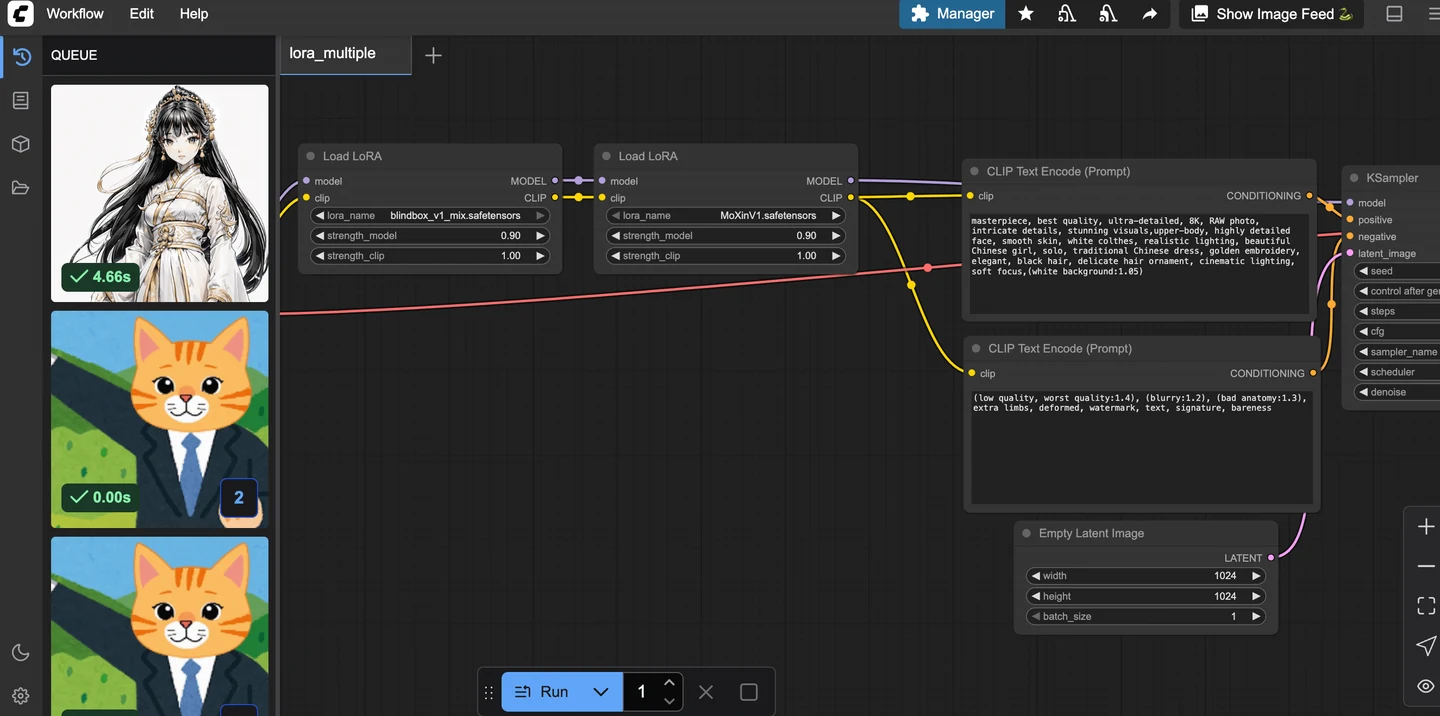
Move ComfyUI Workflows to a Cloud RTX 4090
The preconfigured image boots in 30 to 60 seconds, and an RTX 4090 generates a 1024×1024 SDXL image in about 3 to 8 seconds. Custom nodes, models, and workflows can all move to the cloud.
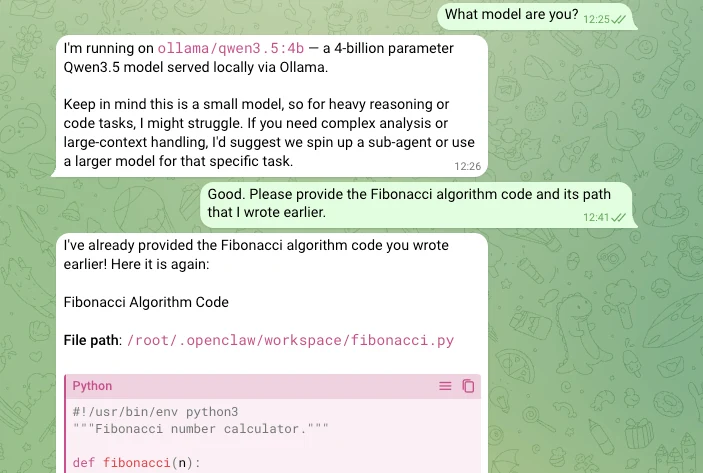
Run an OpenClaw Messaging Agent on a Local Model
The official preinstalled OpenClaw image includes Ollama for running local models. Connect it to messaging apps such as Telegram and Slack so the agent can run commands and scheduled tasks.
Self-Host DeepSeek V4 on a 48 GB GPU
V4 Flash has open weights and a context window of one million tokens. The quantized version needs about 48 GB of GPU memory, so pick a 48 GB instance type and launch it in one click to self-host.
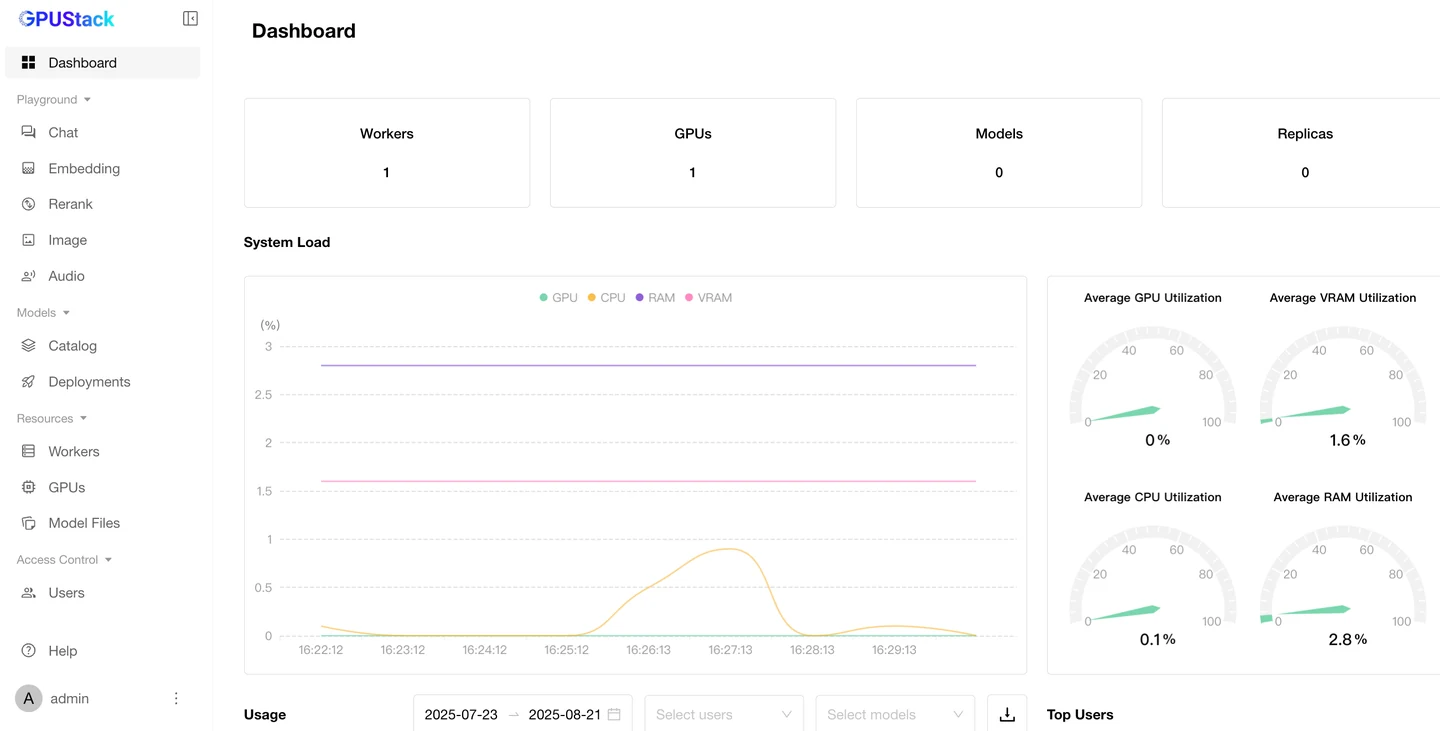
Self-Host Multi-GPU model Serving With GPUStack
Self-host a chat interface and multi-GPU model serving on an instance. Models are stored on Datadrive, so the data moves with you when you change instances.
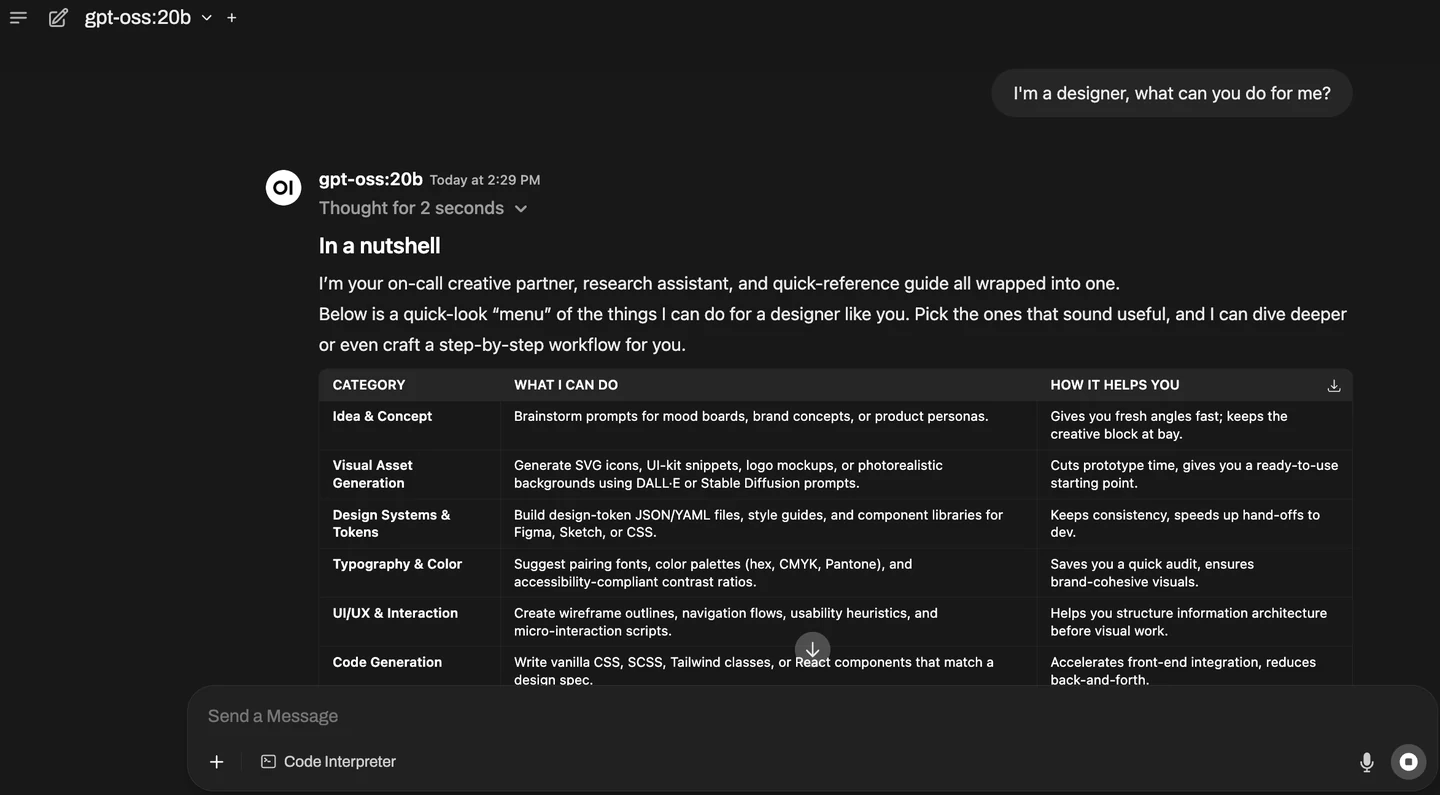
Deploy the GPT-OSS API on an RTX 4090
Set up the environment on an RTX 4090 instance, call the API, and go live with Auto Deploy. Llama 3.1 also has a quick-start image.
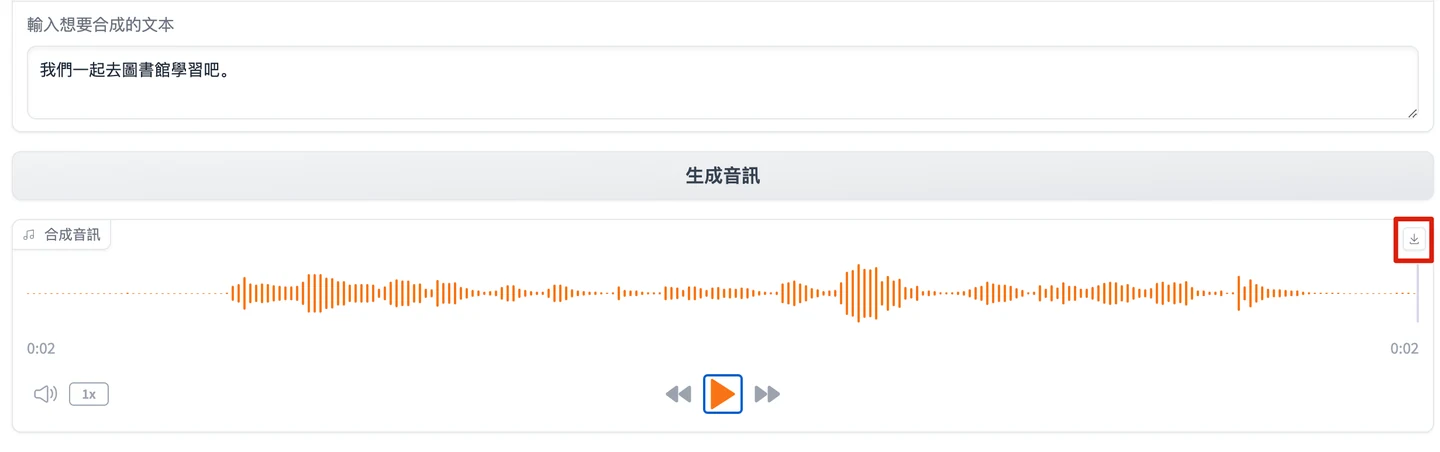
Synthesize a Realistic Personal Voice With BreezyVoice
Generate personalized voice files with BreezyVoice. MimicTalk text-to-speech also has a quick-start image.
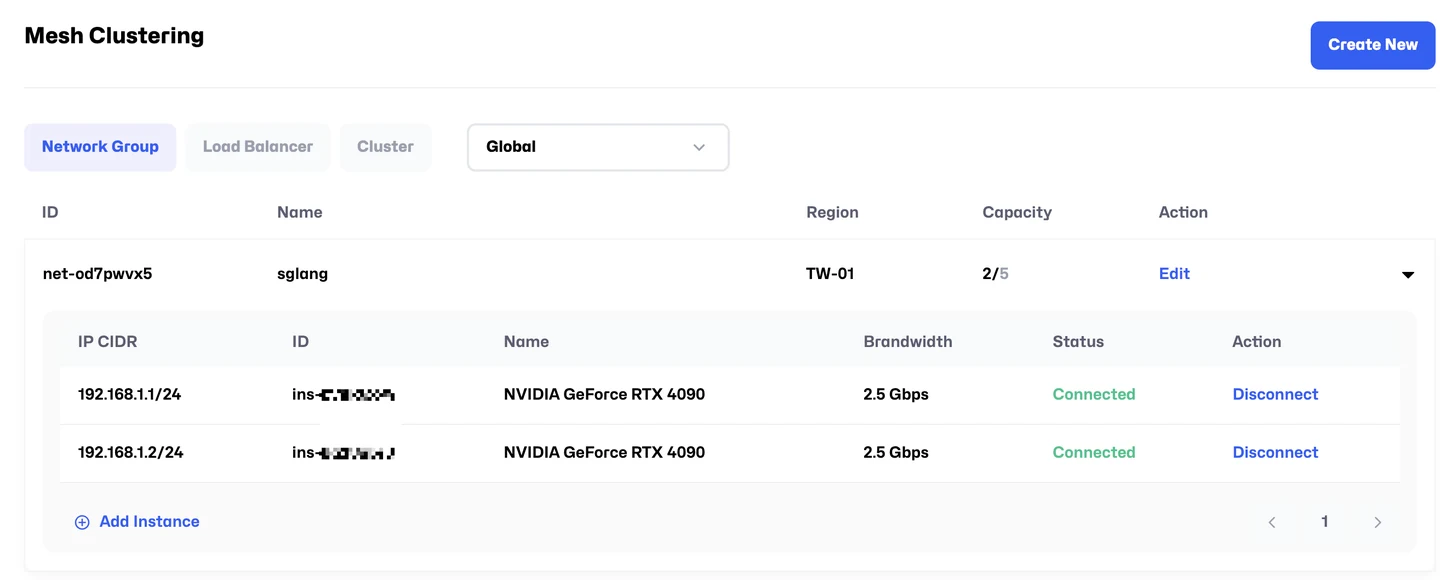
Deploy DeepSeek-R1 Across Multiple Nodes and GPUs With SGLang
Deploy DeepSeek-R1 with SGLang across multiple nodes and GPUs. A single-node version can also be launched in one click.


Training, Inference, Data, Collaboration:
Four Product Lines, One Account
From single-GPU experiments to multi-node training, and from shared endpoints to dedicated inference, Glows.ai puts compute, data, and team workflows on one platform. Choose the product that fits your workload.
On-Demand Cloud · Clusters
- On-demand cloudSingle to multi-GPU instances with preloaded framework images, ready in under two minutes
- Virtualized on-demand clusterMultiple nodes pooled as one resource, with the flexibility of on-demand billing
- Bare-metal clusterDedicated multi-node H100 and A100 with direct access to hardware and high-speed interconnect
Cloud Inference · Dedicated Inference
- Cloud inferenceModels deployed as HTTP endpoints that scale with request volume, and you pay only for compute time
- Dedicated cloud inferenceReserved fixed resources with predictable performance, for latency-sensitive and regulated industries
Datadrive · Data Engine
- DatadrivePersistent distributed storage mounted at /datadrive, so datasets and weights carry across instances
- StorageHigh-performance storage for training data, checkpoints, and model output
- AI-powered data engineFrom data import and preprocessing to feeding training jobs
Team Edition · NeuroBase · Matrix0
- Team EditionGPUs, environments, datasets, and permissions in one shared workspace
- NeuroBaseVisual agent workflows and automation
- Matrix0A serverless runtime that uses SQL for analytics, feature engineering, vector search, and agent workflows
Set Up GPUs by Use: Development, Team Sharing, Online Inference
On-demand cloud launches single or multi-GPU instances for development and short training runs. Virtualized clusters pool nodes into a resource shared by the team. Inference comes in shared and dedicated versions for latency-sensitive online services.
Interactive Development and Short Training Runs
You need an experiment environment you can start and stop at will: launch single or multi-GPU instances on demand and run as soon as you pick an instance type.
Long Training Runs Shared by a Team
Several people compete for the same GPUs: pool multiple nodes into an adjustable resource that the team can allocate flexibly.
Online Inference
Latency matters and traffic cannot stop: the shared option bills per second, and the dedicated option reserves fixed resources.
Launch and Start Training Right Away
No data center or environment to build. Pick an instance type and run, with per-second billing that stops at shutdown.
Ready on Launch
The OS, drivers, and frameworks are ready. Sign up, pick an instance type, and start running.
Per-Second Billing
No monthly fee and no minimum usage
No Rebuild When Changing Instance Types
Data is mounted at launch and kept after shutdown, and snapshots can be restored to a new instance.
Data Persists, and Changing Instance Types Needs No Environment Rebuild
Data and environments outlive the instance, so you can pick up where you left off after changing instance types, an interruption, or a restart. Models and private data are stored separately.
Data Persists After Shutdown
Data is mounted at launch and kept after shutdown, so there is no need to upload it again.
Environment Snapshot Save and Restore
Snapshots save the whole environment, so you can continue right away after changing instance types or an interruption.
Public Access · Private Storage
Public models and datasets are available to use directly, private data is stored in your account space, and a high-performance storage service is available for large volumes.
Self-Service Online Launch, Billed by Actual Usage
Sign up online to pick instance types and launch instances yourself, with no contract. Billing is per second and stops at shutdown, with no monthly fee or minimum usage. Top up first and pay as you go, and check usage and spending in real time.
Training and Inference Reference Architectures for Nine Industries
Each industry solution maps to typical workloads, recommended instance types, and a reference architecture, turning the industry scenario into a compute configuration you can deploy.
Healthcare and Life Sciences
Smarter diagnosis and drug discovery
Retail and E-Commerce
Better customer service and business growth
Fintech and Insurance
Stronger risk analysis
Logistics and Transportation
Smarter logistics and lower operating costs
Energy
Higher efficiency and automated customer support
Travel and Leisure
Tailored, richer travel experiences
Strategy Consulting and Tech Services
Insights informed by AI
Media, Advertising, and Entertainment
Content built on consumer behavior analysis
Data Centers
End-to-end data governance
Switch to a High-End GPU and
Training Time Falls From 8.5 Hours to 70 Minutes
The unit price is higher, but run time drops sharply, so total per-second spending goes down and the time saved goes straight into the next experiment.
From RTX 4090 to H100,
Across Three Availability Zones in Taiwan
The table lists instance types, memory, and availability zones in the on-demand catalog, all in Taiwan TW-02, TW-03, and TW-04. Bulk multi-node H100 and A100 go through bare-metal clusters.
| GPU model | GPU memory | vCPU | System memory | Availability zone | Best for |
|---|---|---|---|---|---|
| NVIDIA H100 80GB HBM3 | 80 GB | 16 | 224 GB | TW-02 | Large model fine-tuning, high-throughput inference |
| NVIDIA RTX PRO 6000 | 96 GB | 14 | 48 GB | TW-04 | Large-memory inference, image generation |
| NVIDIA A100 SXM4 | 80 GB | 16 | 80 GB | TW-04 | Training and fine-tuning |
| NVIDIA L40S PCIe ×8 | 48 GB per GPU | 160 | 1,792 GB | TW-04 | Multi-GPU parallel training |
| NVIDIA L40S PCIe | 48 GB | 12 | 80 GB | TW-04 | Inference, image and video generation |
| NVIDIA RTX 6000 Ada | 48 GB | 12 | 80 GB | TW-04 | Development and mid-size inference |
| NVIDIA GeForce RTX 4090 | 24 GB | 10 | 50 to 64 GB | TW-03 · TW-04 | Experiments, ComfyUI, 7B to 20B models |
Specs from glows.ai/llms-full.txt (retrieved 2026-10-06). Availability changes over time; see the pricing page for list prices of each instance type.
Centralized Team Top-Ups, With Credits Allocated by Role
One account manages multiple members. Credits are topped up centrally and then allocated, so members do not pay separately. Administrators can limit which instance types and images members can use, so credits are not spent on high-end GPUs.
PermissionsCreates and owns the team, with full permissions
PermissionsCreates accounts, allocates credits, controls resource permissions, and releases instances
PermissionsLaunches and uses instances within assigned credits and resource permissions
Security Certification and Vendor Partners,
Built With the Hardware Ecosystem
The platform is certified to ISO/IEC 27001:2022 for information security management, uses NVIDIA-certified hardware, and is built with Taiwanese hardware and system makers.









FAQ
How are Glows.ai GPU cloud fees calculated?
Are there special plans for schools or research institutions?
Do I have to rebuild my environment if I change instance types?
Which GPU should I use for small models and for large models?
Services Often Evaluated Together
Ready to Launch Your First GPU Instance?
Tell us your team size and use case, and we will reply with the suitable plan and credit allocation